 Mr. Editor-in-chief
Add Custom Domain to Virtual Machine in Microsoft Azure
How to point a domain registered on NameCheap to Azure
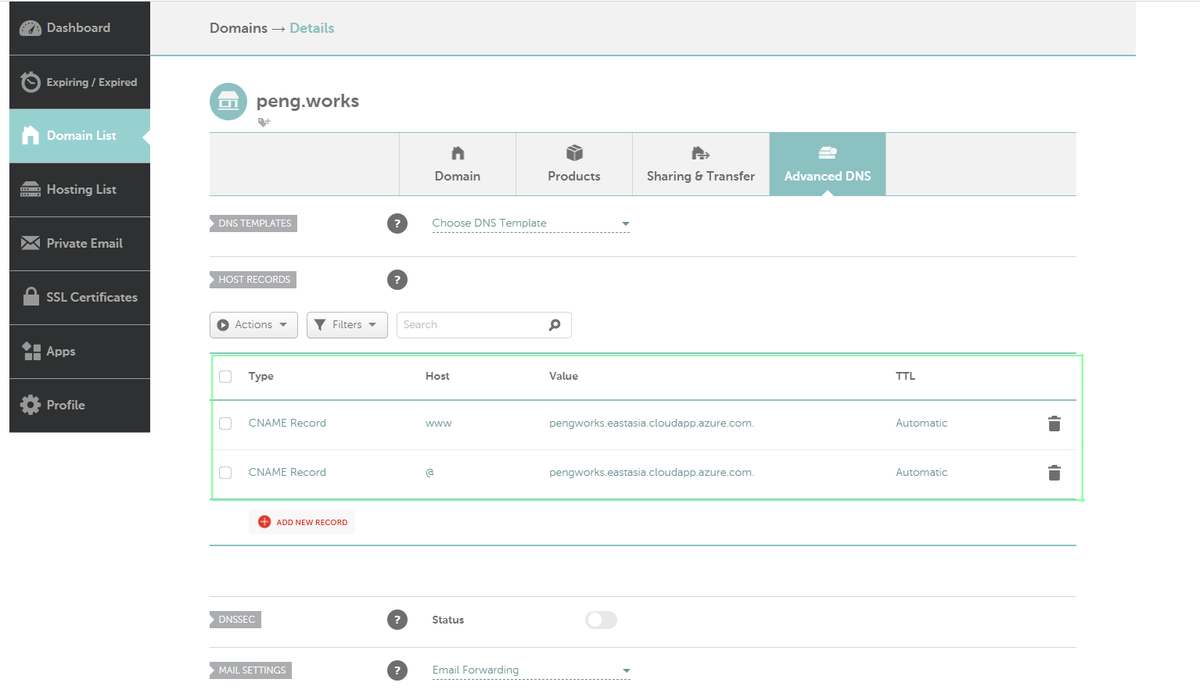
Using a CNAME record (mapping a name to another name)
Go to Microsoft Azure
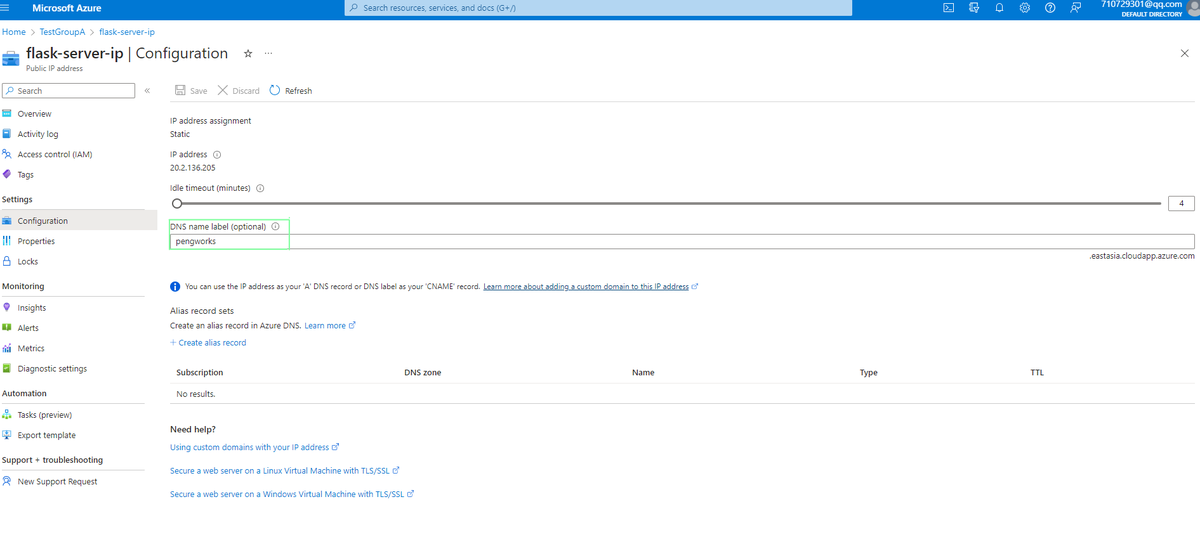
First you need to set a cname for your Azure VM. From yor Resource Group in, which your VM is sitting, choose Public IP > Settings > Configuration > DNS Name Label(optional).
Go to NameCheap
From your Domain List in, choose Manage > Advanced DNS
Using an A record (mapping a name to an IP address)
Go to Microsoft Azure
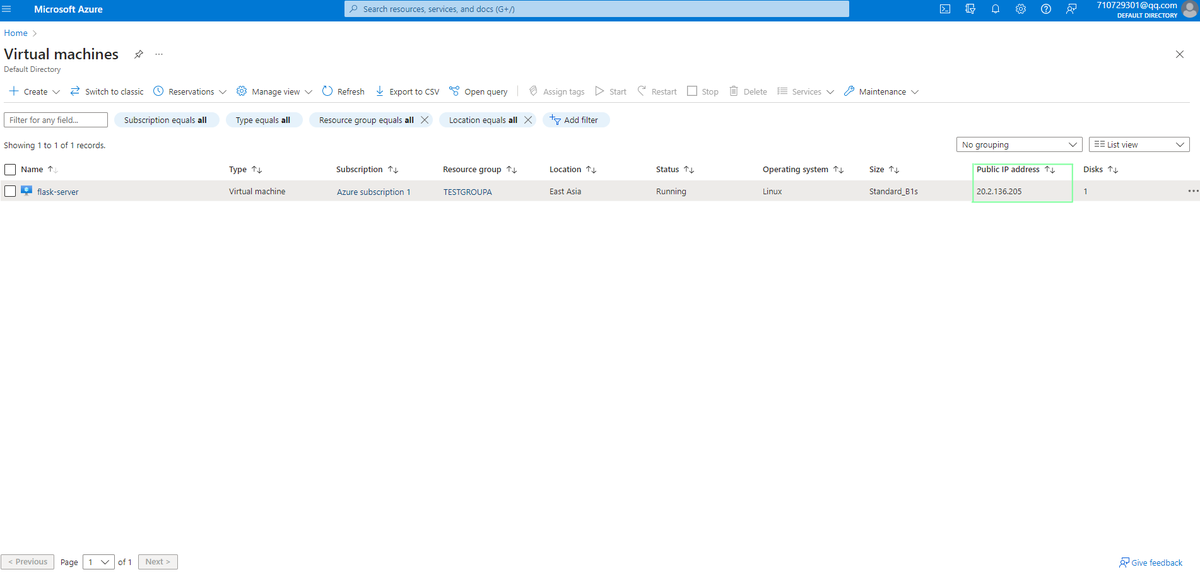
Find your VM's public IP address
Go to NameCheap
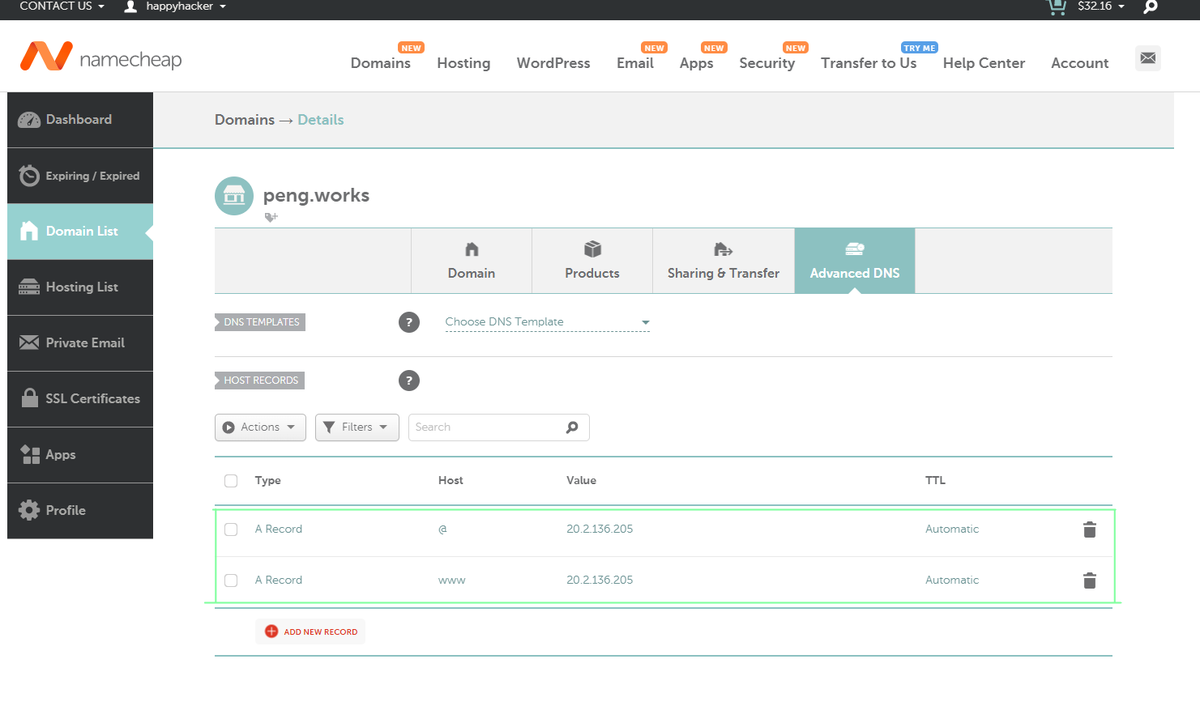
From your Domain List in, choose Manage > Advanced DNS
- A Record for @ mapped to the IP address of your cloud service
- A Record for www mapped to the same IP address
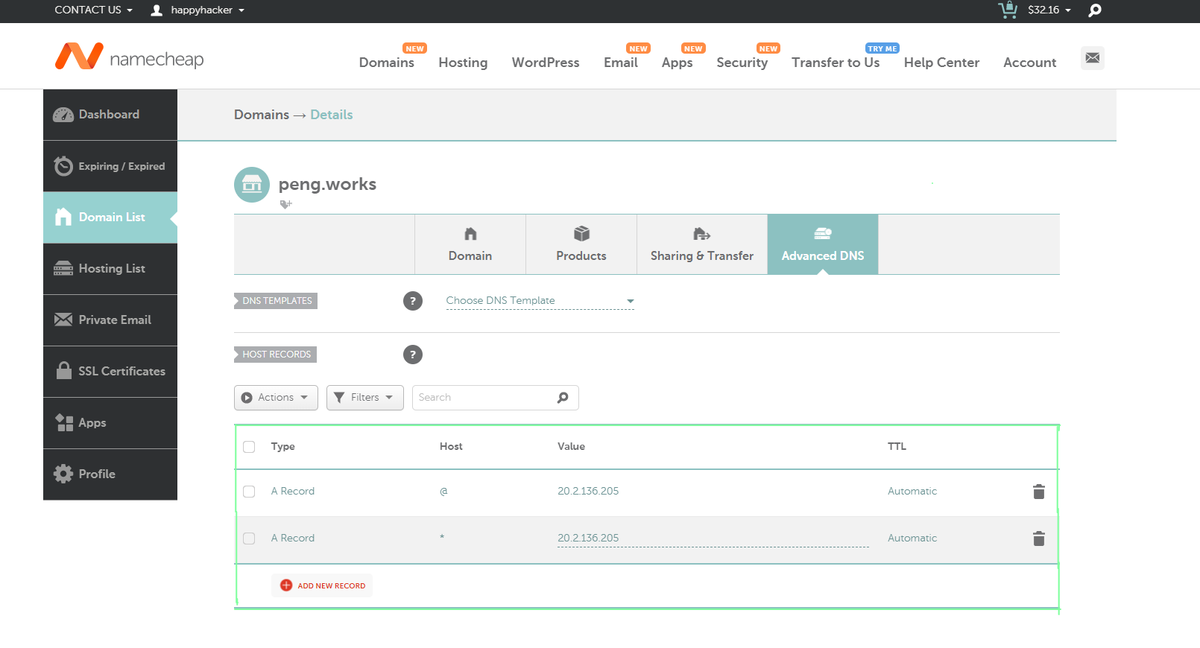
If you wish to create a wildcard entry to cover all non-existent subdomains, please enter "*" as the host name as shown below:
- A Record for @ to forward to the IP address of your Cloud Service.
- A Record for * mapped to the same IP address
Share this post
Related Posts
Basic tmux Commands for Terminal Sessions
Learn the basic tmux commands to create, list, detach, reattach, rename, and remove terminal sessions.
Xesim Guide for Chinese iPhones
Using Xesim to Manage Multiple Numbers or Data Plans from Different Countries on the Second SIM Card of a Chinese iPhone 17
The Evolution of Infrastructure Management
The evolution of infrastructure management goes from clicking in the cloud console to AI-assisted operations.
Linux Commands Cheat Sheet
Linux commands cheat sheet: comprehensive reference covering basic commands, man pages, and help options.